To download your Ejari certificate, open the Download Ejari Certificate page on dubailand.gov.ae, enter your Ejari contract number, the 9 digit DEWA premises number, the municipality number and the sub number, complete the captcha and press Download file. If the contract is linked to your account in the Dubai REST app, you can instead open your Property Wallet, choose the property, go to the contract details and download the certificate there. Both routes are run by the Dubai Land Department (DLD), and neither lists a fee for downloading, as of November 2026.
Once you have the PDF, printing it is simple: print the whole page on A4, with the QR code and contract number visible. This guide covers each Ejari download route step by step, who can download the certificate, how to print it, how to find a lost Ejari number, how to get an old copy, and what to do when the download does not work.
The Ejari certificate is the proof that your tenancy contract is registered with the DLD. Landlords, DEWA, immigration and the Rental Dispute Centre all ask to see it. Our Ejari explainer covers what Ejari is and why it matters. This page deals with getting your own copy.
The DLD FAQ says all customers need an Ejari to use the DEWA move-in service, so the certificate is often the first document you chase after signing a lease. DEWA's own Ejari FAQ explains that once the Ejari is issued, a DEWA account is created automatically and you receive a welcome email with a link to pay the security deposit. Banks, schools, visa sponsors and telecom companies also commonly ask for proof of address, and the Ejari certificate is the document most people use for that. You do not have to go back to the agent or landlord who registered the contract if you have the numbers to hand.
| Route | What you need | Cost | Best for |
|---|---|---|---|
| DLD website form | Ejari contract number, DEWA premises number, municipality number, sub number | No fee listed by the DLD | Anyone with the contract papers to hand, on a computer |
| Dubai REST app | A Dubai REST login (Emirates ID or UAE PASS) and a contract linked to your account | No fee listed by the DLD | Tenants and owners who want the PDF straight on a phone |
| Request an old copy from the DLD | Your details, sent by email or WhatsApp as set out in the DLD FAQ | Not stated by the DLD | Old or lapsed contracts, and documents attached to a registration |
The DLD download page lists no fee, and there is no charge for downloading a certificate that already exists. Fees apply to registering or renewing a contract, not to downloading it. Our guide to Ejari registration fees sets those out.
The DLD publishes a public form called Download Rental Certificate (Ejari). It needs no login. Follow these steps as of November 2026:
The form marks mandatory fields with an asterisk. If a number is wrong, it returns an error such as "Please enter a valid contract number", "Please enter a valid 9 digit dewa number", "Please enter a valid municipality number", "Invalid captcha" or a no data found message. The Reset button clears the form so you can start again.
The DLD lists Dubai REST as the second official channel for the Ejari download. Its Ejari services page gives these steps:
If you registered or renewed through the app, the contract is already linked to you. That makes this route the least error prone, because you rarely need to retype the long numbers. Our guide to who does what between the DLD, RERA and the Dubai REST app explains the app in more detail.
UAE PASS is the national digital identity. The DLD uses it as a login for its services, and its Dubai Now tenancy service uses it to sign contracts electronically. The DLD download page and its Ejari services page list only the website and Dubai REST as download channels. Some tenants also find the registered tenancy contract in the documents section of the UAE PASS app, but because the DLD does not list that route, use the two official channels first and treat UAE PASS as a backup.
People also search for "ejari number" because the website form will not work without it. The DLD FAQ says the contract number appears at the top of the contract. You can also find it in these places:
Try the Dubai REST app first, since a linked contract shows without retyping any number. If that shows nothing, ask the agent or manager who registered the contract. As a last step, contact the DLD on 800 4488 and have your Emirates ID and the property details ready.
It is on your DEWA bill, and it is 9 digits long on the DLD form. If you have never received a bill in your name, ask the landlord or agent for it, or contact DEWA customer service.
Searches for "ejari reprint" and "ejari copy" usually come from tenants who need a certificate for a contract that has ended. The DLD FAQ says that to get a printout of an old Ejari, or the documents attached to a registration, you email the Department with your details, or send a WhatsApp message to +971 4 203 0591 or +971 4 203 0729. For a current contract, a reprint is simply a fresh download from the website or the app. Note that the DLD does not issue certificates or receipts for cancelled Ejari contracts, so download the last certificate before you cancel.
Check every digit of the contract number and the 9 digit DEWA number. A transposed digit is the usual cause. Make sure the DEWA number matches the unit you rent, not a previous home.
Try another browser, clear the cache, or switch to the Dubai REST app. If the app asks for a login, use the same Emirates ID or UAE PASS details you used for registration.
A tenant can start registration in Dubai REST, but the DLD says the landlord must approve it, and a request that is not approved within 5 days is cancelled automatically. If the landlord never approved it, no certificate exists. Ask whoever handled the registration to check its status. Our page on Ejari and tenancy contracts explains what a complete registration looks like.
Where a company manages the property, ask it for the contract number. The company rather than the tenant usually handles Ejari actions for that unit, so it is the right party to ask for a copy.
Call the DLD on 800 4488 or use the live chat on dubailand.gov.ae. Have the contract number, your Emirates ID and the property details ready.
The quickest check is the Dubai REST app. A registered contract appears under the property in your Property Wallet, with its contract details. A request still waiting for the landlord shows as pending until it is approved or until the 5 day window closes. If you started a registration and cannot find a certificate, look for the request in the app first. If the contract is not there, the filing did not go through, and it is better to know that before you need the certificate for DEWA.
Searches for "ejari print" and "print ejari certificate" come down to one task: print the PDF properly.
A clean print or the PDF on your phone is usually enough, because the QR code lets the reader check it against the DLD record, and you do not need a stamped original. Do not photograph a screen or crop the page. If you have no printer, any print shop can print the PDF from a USB stick or email.
| Item | Needed for | Where to find it |
|---|---|---|
| Ejari contract number | DLD website form | Top of the contract or certificate, approval email |
| DEWA premises number (9 digits) | DLD website form | DEWA bill |
| Municipality number and sub number | DLD website form | Your tenancy papers, or ask the landlord or agent |
| Emirates ID or UAE PASS | Dubai REST login | Your ID card or UAE PASS account |
| Dubai REST account | App route | Create one in the app |
These three terms are used loosely, which is why people struggle to find the right document.
| Document | What it is | Who holds it |
|---|---|---|
| Tenancy contract | The agreement you and the landlord sign, in the DLD's Unified Tenancy Contract form | Tenant and landlord |
| Ejari registration | The record of that contract in the DLD system, with its own contract number | The DLD |
| Ejari certificate | The e-Contract Registration Certificate issued once the registration is approved | Tenant and landlord, downloadable on request |
The DLD calls the document issued after registration the e-Contract Registration Certificate, and the download service calls it the Rental Certificate (Ejari). They are the same document. When an office asks for your "Ejari", it almost always means this PDF.
If you are still choosing a home, our renting process page shows where Ejari sits in the steps, and you can browse apartments for rent across Dubai.
Buying or renting in Dubai?
Ask one of our agents on WhatsApp about renting in Dubai: areas, budgets and contracts.
Ask one of our agents on WhatsApp about renting in Dubai: areas, budgets and contracts.
Open the Download Ejari Certificate page on dubailand.gov.ae, enter the Ejari contract number, the 9 digit DEWA premises number, the municipality number and the sub number, complete the captcha and press Download file. In the Dubai REST app, open your Property Wallet, select the property, go to the contract details and download the certificate.
The DLD download page lists no fee, and downloading a certificate that already exists costs nothing. Fees apply when you register or renew the contract, not when you download it.
Download the PDF, check the details against your contract, and print the full page on A4, including the QR code and contract number. A clean print or the PDF itself is usually accepted, as the QR code lets the reader check it.
The DLD says the contract number is at the top of the Ejari contract. It is also on the certificate, in the approval message sent after registration, and in your Dubai REST Property Wallet if the contract is linked to your account.
Not on the website form, which asks for the premises number, municipality number and sub number. Use the Dubai REST app if the contract is linked to your account, or ask the landlord, agent or DEWA for the premises number.
The DLD FAQ says you can request a printout of an old Ejari, or the documents attached to a registration, by emailing the Department or by WhatsApp on +971 4 203 0591 or +971 4 203 0729. The DLD does not issue certificates for cancelled contracts, so download the last one before cancelling.
UAE PASS is a login for DLD services, including Dubai REST, which is one of the two official download channels. The DLD lists only its website and Dubai REST for the download itself, so use those first.
Handpicked for you

AED 2M
Resale at OP | Lagoons and Dubai Skyline Views | High Floor
1 bed · 788 sq.ft
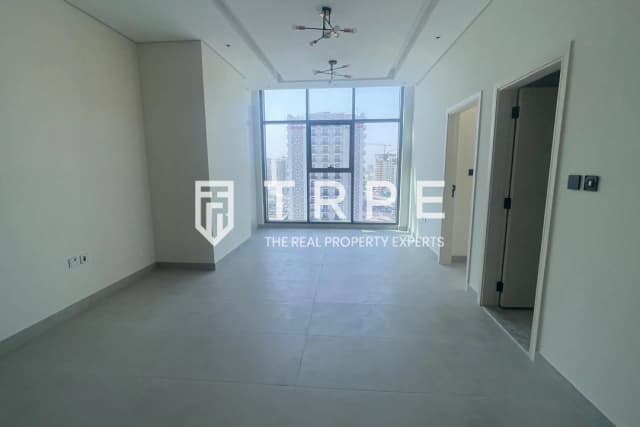
AED 110K/year
Community View | Upgraded | PG One, Al Furjan
1 bed · 830 sq.ft

AED 1.6M
Vacant | 710 sq ft | Binghatti Avenue, Al Jaddaf
1 bed · 863 sq.ft
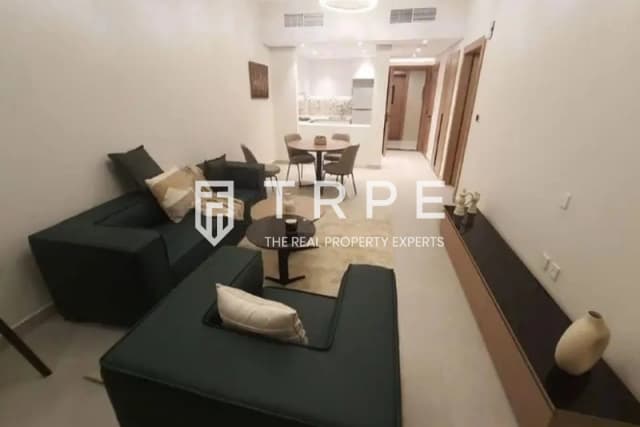
AED 75K/year
Furnished 1BR | Brand New | JVC District 16, JVC
1 bed · 862 sq.ft


Join our newsletter. No spam, unsubscribe anytime.
Contact
+971 50 523 2712info@trpe.aeQuick links to the most-searched combinations across Dubai.
TRPE Real Estate is a company registered in Dubai, United Arab Emirates. Trade License No. 999314 · RERA ORN 28357 · Office 1201, Ascott Park Place, Sheikh Zayed Road, Dubai. Regulated by the Real Estate Regulatory Agency (RERA).